
Mojang just dropped Minecraft Bedrock 26.10—the Tiny Takeover update—and if your game hasn’t auto-updated yet, you’re in the right place. This guide covers exactly how to download and install v26.10 across every major platform: Windows 10/11, Android, iOS, Xbox, PlayStation, and Nintendo Switch.
No fluff. Just the steps that actually work, plus troubleshooting for the annoying edge cases Mojang never bothers documenting.
Let’s get your game updated.
What’s New in Minecraft Bedrock 26.10 (Tiny Takeover)
Here’s what this update brings to the table:
🍼 Baby Mob Overhaul
Every baby mob now has new models, animations, and unique sounds. Baby zombies got more aggressive animations. Baby wolves are significantly cuter. All of them move and behave more distinctly from their adult versions.
🌼 Golden Dandelion
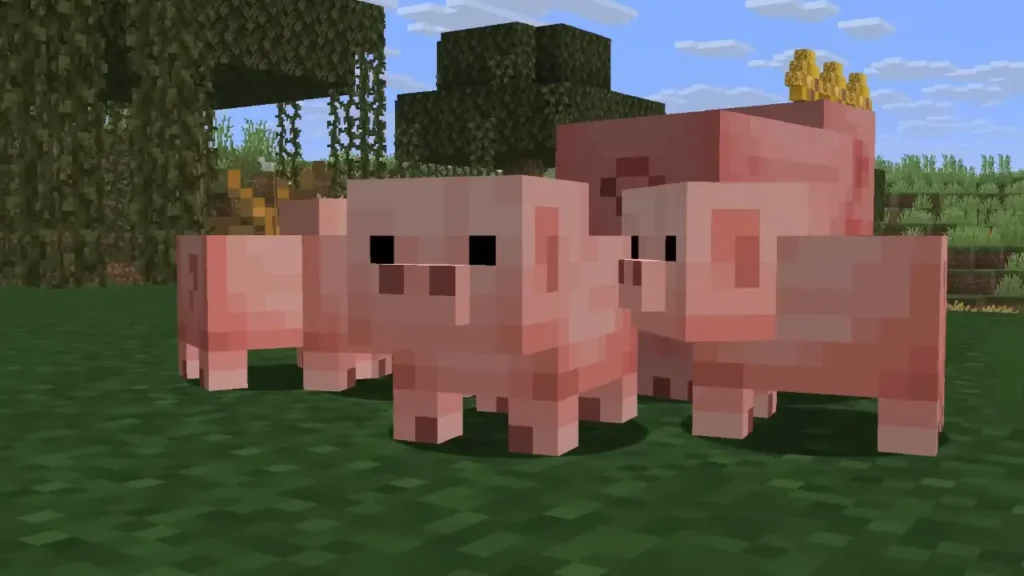
Feed this to any baby mob to freeze them at baby size permanently. Feed it again to resume normal growth. Game-changer for decorative builds and mob collectors.
🏷️ Craftable Name Tags
No more fishing for hours or raiding dungeons. Craft them with paper + any metal nugget. Should’ve been in the game from day one.
🎺 Note Block Trumpet Sound
Copper blocks placed under note blocks now produce trumpet sounds. Expands redstone music possibilities considerably.
Platform-Specific Download Instructions
1. Windows 10 / 11 (Microsoft Store)
- Open Microsoft Store
- Click your profile icon (top right) → Downloads and updates
- Select Get updates
- Minecraft will appear in the queue. If not, search “Minecraft for Windows” and hit Update
Critical note: Your Windows account must match your Xbox/Microsoft account for proper world syncing. Mismatched accounts cause silent sync failures.
2. Android (Google Play Store)
- Open Google Play Store
- Search “Minecraft” → select the official Mojang Studios listing
- Tap Update
- Download typically ranges 200-400MB depending on device
Beta program conflict: If you’re enrolled in Minecraft Beta, you’ll need to leave it first. Go to the Play Store page → scroll to beta section → “Leave.” Then uninstall and reinstall to get the stable release.
3. iOS (iPhone / iPad via App Store)
Apple’s update system is reliable but storage-sensitive:
- Open App Store → tap profile icon
- Navigate to Available Updates
- Find Minecraft → tap Update
Storage requirement: You need at least 500MB free space. iOS won’t attempt the download if storage is insufficient, and won’t warn you why the update isn’t appearing.
4. Xbox Series X / Series S / Xbox One
Auto-updates work if Instant-On mode is enabled. For manual updates:
- Press Xbox button → My Games & Apps
- Select See All → Updates tab
- Highlight Minecraft → press Update
Enable auto-updates: Settings → General → Power Mode & Startup → Instant-On. The console will download updates during standby.
5. PlayStation 4 / 5
Sony’s process is straightforward:
- Highlight Minecraft on home screen (don’t launch)
- Press Options button
- Select Check for Update
- Download begins immediately if available
Auto-updates function in rest mode if enabled: Settings → System → Automatic Downloads.
6. Nintendo Switch
Switch requires manual checks more frequently than other platforms:
- Highlight Minecraft on Home menu (don’t launch)
- Press + (Plus button)
- Select Software Update → Via the Internet
- Wait for download to complete
Version Confirmation Methods
Verify you’re running 26.10 using these checks:
- Main menu: Version number appears bottom-right (v1.26.10)
- Settings path: Settings → Profile → About → Version info
- Visual test: Load any world. Baby mobs (pigs, wolves, villagers) should display new animations. Legacy animations indicate you’re still on an older build.
Troubleshooting Common Issues
Update Not Appearing
Solutions:
- Full device restart (not sleep/rest mode)
- Sign out and back into your platform store account
- Verify internet connection stability
- Check platform’s system update status (outdated OS can block game updates)
Insufficient Storage
Solutions:
- Free up minimum 1GB space (patch size + cache requirements)
- Clear temporary files and cached data
- Offload media to cloud storage temporarily
Beta Version Conflicts
Solutions:
- Exit Minecraft Preview/Beta programs through store settings
- Uninstall current version
- Reinstall from official store listing (cloud saves preserve your worlds)
Post-Update Crashes
Platform-specific fixes:
Xbox/PlayStation:
Uninstall and reinstall. Cloud saves protect world data automatically.
Windows PC:
Navigate to %localappdata%\Packages\Microsoft.MinecraftUWP_[string]\LocalState\games\com.mojang\ and delete world_resource_packs_history.json
Mobile:
Clear app cache through device settings. Do NOT clear app data—that wipes saves.
Golden Dandelion: Crafting & Usage
Recipe
- 8 Gold Nuggets (outer ring)
- 1 Dandelion (center slot)
Recipe becomes visible in the crafting menu after breeding your first mob, though you can craft it immediately if you know the pattern.
Optimal Mobs to Keep Permanent
Wolves: Compact hitbox for tight spaces, still functional
Foxes: Retain item-pickup behavior at smaller size
Villagers: Purely decorative, excellent for themed builds
Pigs: High comedy value in grouped pens
