Quick Summary: Roblox is free to download on Android. The safest method is always the Google Play Store. If you need the APK or XAPK version, this guide walks you through both — safely, step by step, with no sketchy third-party sites.
Key Takeaways
- APK = single install file; XAPK = APK + extra data files bundled together
- Always download from verified sources — APKPure or Uptodown only
- You must enable “Unknown Sources” before installing manually
- Roblox is free and not banned in the Philippines
- If you get an install error, this guide covers the most common fixes
Why Are Philippine Players Searching for Roblox APK?
but knowing which source to trust is where most players get stuck. If you found this guide, you’re probably dealing with one of these: the Play Store download is taking forever, your device says Roblox isn’t available in your region, or a friend sent you an XAPK file and you have no idea what to do with it.
In our experience helping Filipino gamers, slow Play Store connections and older Android devices are the two biggest reasons people look for the APK version. The good news — it’s completely doable, and we’ll show you the safe way.
APK vs XAPK — What’s the Difference?
APK (Android Package Kit) is the standard Android install file — like a setup.exe on Windows. One file, runs the installer, done.
XAPK is a compressed bundle containing the APK plus OBB data files (extra game assets). Roblox is occasionally distributed as XAPK through mirror sites. The key difference: APK installs directly; XAPK requires a dedicated app to unpack the OBB files into the right folder, otherwise the game won’t launch.
Method 1 — Google Play Store (Always Recommended)
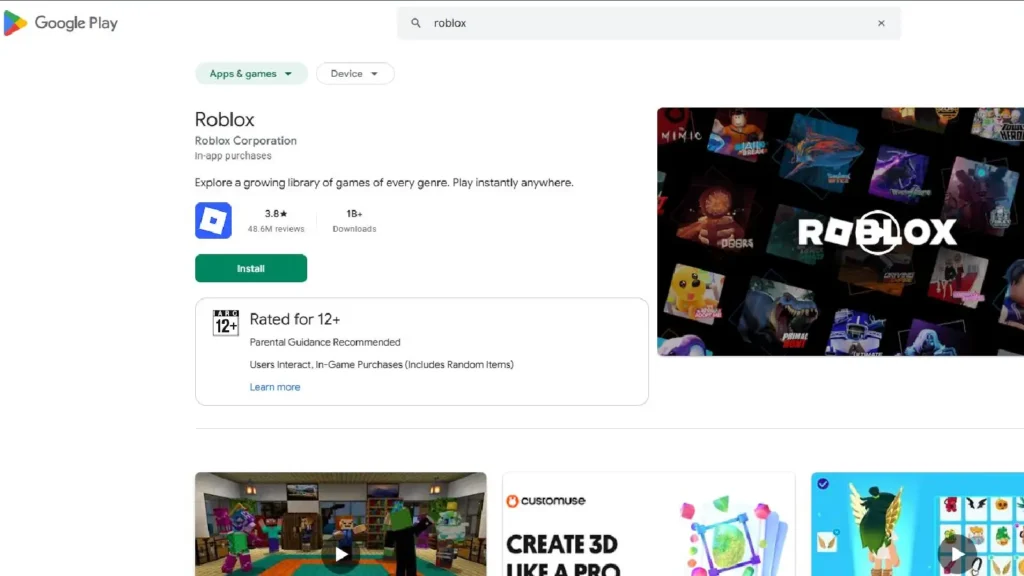
- Open Google Play Store on your Android device
- Search “Roblox” — tap the result by Roblox Corporation
- Tap Install and wait
- Open Roblox → log in or create a free account
If Roblox says “not available in your country” — this is rare in the Philippines, but if it happens, try Method 2 below. You can also download Roblox on PC or laptop as an alternative.
Method 2 — Download & Install Roblox APK Manually
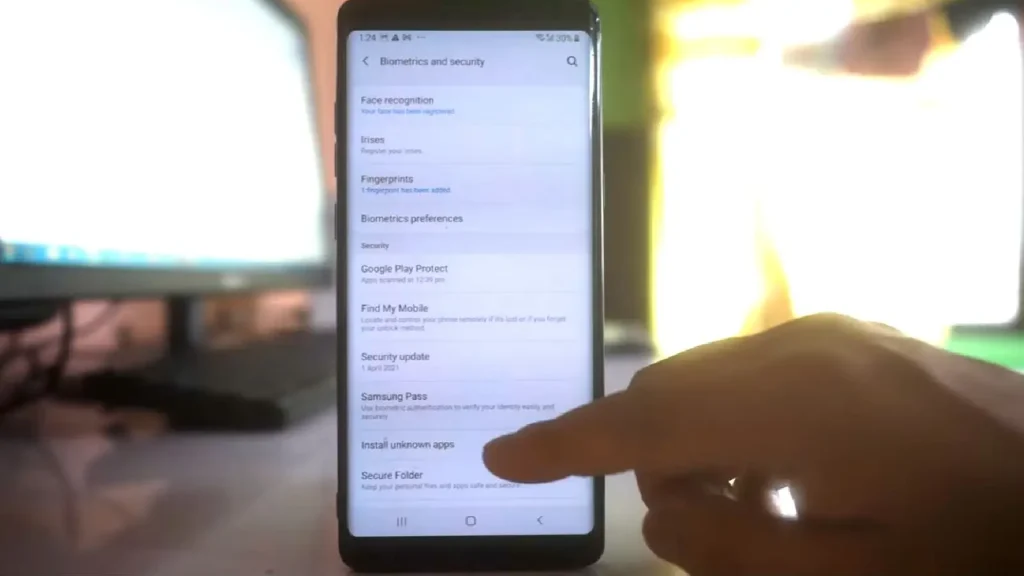
Step 1 — Enable Unknown Sources
Android blocks outside installs by default:
- Android 8.0+: Settings → Apps → tap your browser → enable “Install unknown apps”
- Android 7.0 and below: Settings → Security → enable “Unknown sources”
In our testing across multiple Android devices, this permission resets after install — you don’t need to leave it permanently on.
Step 2 — Download from a trusted source only
- APKPure.com — verifies files against official Play Store signatures
- Uptodown.com — same verification process
Do not download from Telegram groups, Facebook posts, or any site promising free Robux.
Step 3 — Install
- Open your Downloads folder → tap the Roblox APK file
- Tap Install → wait → tap Open
Method 3 — Install Roblox XAPK (If Distributed as XAPK)
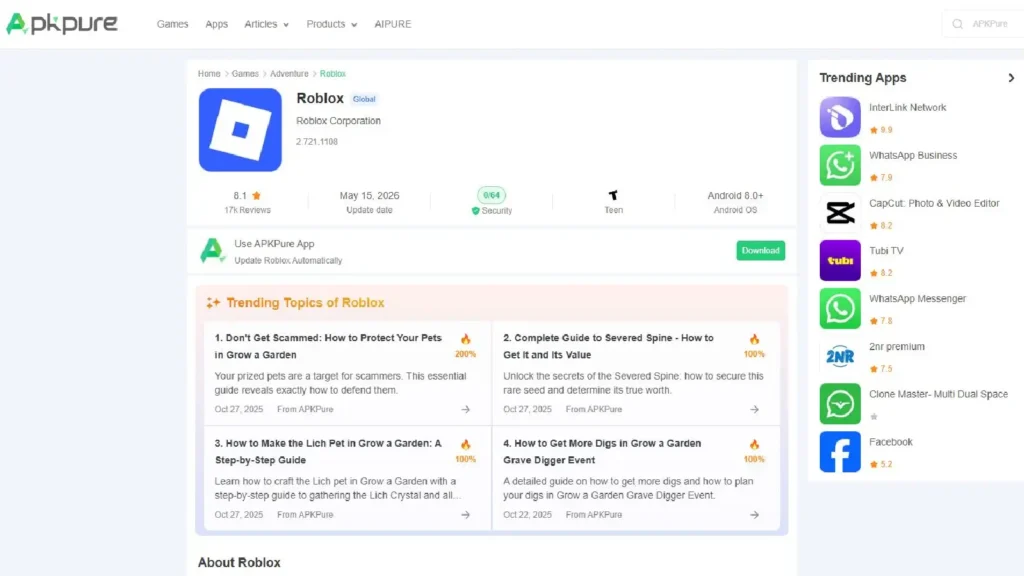
Step 1 — Get the APKPure app
- Visit apkpure.com on your phone
- Download and install the APKPure app (follow Method 2 steps)
Step 2 — Install XAPK
If you’re downloading fresh: Open APKPure app → search Roblox → it downloads and installs the XAPK automatically, OBB files and all.
If you already have the XAPK file: APKPure app → menu → “Install XAPK” → browse to your file → select it. Do not manually extract.
Can You Install Roblox Without the Play Store?
Yes — Methods 2 and 3 above both work without the Play Store. The important thing is using a verified APK source. We found that APKPure and Uptodown are the only two mirror sites worth trusting for Roblox — both cryptographically verify their builds against the official Play Store package.
Common Install Errors and Fixes
“App not installed” — Uninstall your existing Roblox first, then retry.
“Parse error” — File is corrupted or wrong Android version. Delete and re-download.
“Installation blocked” — On Android 10+, the Unknown Sources permission is per-app. Settings → Apps → your browser → Permissions → Install unknown apps.
Game crashes on launch after XAPK install — OBB files placed incorrectly. Uninstall completely, then reinstall using APKPure app’s built-in method (not manual extraction).
Is It Safe to Install Roblox APK?
It depends entirely on the source. APKPure and Uptodown verify their files against the official Google Play signature — the APK is identical to what you’d get from the Play Store. Anything else is a gamble.
Sites to avoid: anything offering “modded Roblox,” free Robux installers, Telegram channels, random Blogspot download pages, any site with more popup ads than content.
One rule: if a site offers free Robux in exchange for installing something — close the tab immediately.
Frequently Asked Questions
Is Roblox banned in the Philippines? No. Roblox is fully playable in the Philippines as of 2026. Read our full update: Is Roblox banned in the Philippines?
Do I need to pay to download Roblox? Never. Roblox is free to download. Robux is optional, purchased separately.
Will I get banned for using an APK? No — provided you use the official unmodified version from APKPure or Uptodown. Bans come from in-game behavior and ToS violations, not install method.
What’s the minimum Android version? Android 5.0 (Lollipop) or higher. 2GB RAM or more recommended for smooth play.
Can I update Roblox installed via APK? Yes — via the APKPure app (notifies you of updates automatically) or by re-downloading the latest APK manually.
